*************************************************************************
BREAKING NEWS:
Check Out The Best Reader – JUST RELEASED – CLICK HERE
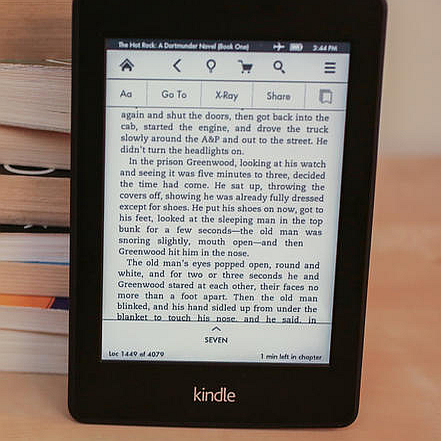
Finally, you get everything you want and need in an e-reader, including E-Ink so your eyes do not get strained and the ability to read your PDF library. Super light weight, and amazing battery life
It’s smaller, lighter, faster and has 50% better contrast with built in WiFi
LOWEST PRICE EVER
It is the BRAND NEW KINDLE – See It in Action Here
*************************************************************************
When I began searching for a good ebook reader I was shocked by what I found. Not all ebook readers are created equal, as you will soon see… and just because it is more expensive, doesn’t mean that it is better.
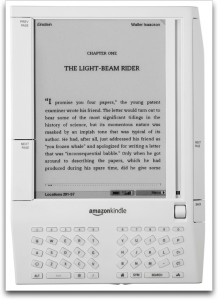
The Amazon Kindle was my first choice for an ebook reader.
I have heard a lot of praise about the Amazon Kindle, from friends, readers of this site and even Oprah. In fact, I had heard so much hype about this device, I expected to purchase one without a second thought.
BOY WAS I WRONG!
I don’t want anyone to get the wrong idea, the Kindle is an amazing product. It can download ebooks, magazines and newspapers in minutes, and it doesn’t rely on wifi “hot spots” to do it. It uses a technology similar to a cell phone, only without the monthly fees and service agreements.
The display is the closest thing to paper to hit the market. Once the words appear, it does not take any juice for them to remain on teh sreen until the page is turned, so the battery life is incredible.
It feels good in your hands. It’s the size of a thin book and very light weight. The page turning on the right and left is intuitive and similar to flipping forward and backward in a real book. I really like the way it bookmarks a page by making a “dog ear” in it, like we all have done to a paper book at one time.
You can check out this video for an excellent overview of the Amazon Kindle Ebook Reader.
Discover More About The Kindle on Amazon
But the Kindle is NOT the ebook reader for me for one HUGE reason and a couple of smaller ones too.
The main reason I am not buying a Kindle for my ebook reader is because 90% of all the ebooks that I already own, and I own hundreds of them, are in PDF format, and the Kindle does not read PDF ebooks.
I just couldn’t believe that! An ebook reader that does not read the vast majority of ebook’s on the market!
I can forgive the lack of color… Yes, I would expect to see full color for the price of the unit, but I could learn to live without it. After all, the screen is supposed to be eye-strain free and resemble ink on paper, but I guess they have not mastered color ink yet.
I read that Amazon will convert word documents so they can be read on the kindle, and that you have to email the .doc to your kindle. They charge you a small fee for this, which I also find unacceptable.
#1 The Kindle Ebook Reader should have a port of some kind (USB?) that allows me to connect my PC directly to it and download all of the ebooks that I already own.
#2 It would take a long time to email each ebook I own, one at a time, to be “converted”.
#3 I should not have to pay to be able to read an ebook that I already bought on a device that I already paid for.
So, despite the incredible technology I had to rule the Kindle out.
I took a quick look at Sony’s ebook reader, which had a lot in common with the Kindle, and even though it did have a lower price, it still had the same problems as the Kindle.
Still in shock that these “ebook readers” could not read my ebooks, I moved on to a most unusual device. Most people would not consider a PSP (Play Station Portable)
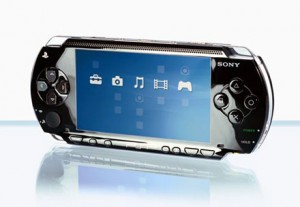
There are several options for viewing ebooks on a PSP, and yes there are converters for PDF ebooks. I tested a few of them but in the end I found it very unreliable. The load times could be very long (like 15 seconds per page) and some books did not display correctly while others simply would not work at all.
My son was very excited at the idea of using the PSP to view ebooks, because he knew I would then buy one for myself and he hoped that we could play games together. Unfortunately the PSP would not work for me.
So at this point I was beginning to think that I was out of luck. I just want to be able to view my ebooks away from my computer. I don’t want to print out every single book I purchase.
I do own a laptop, and I could use that for reading ebooks, but it is a bit bulky even though it is fairly new. It has a 15.8″ wide-screen, making it too bulky to carry around in one hand and certainly too large to hold like a book.
That’s when I finally hit on what I needed. The perfect Ebook reader, which can also play MP3 audio books and even play videos. With a large enough screen to view an ebook comfortably and yet small enough to hold in one hand. Best of all, it has 100% compatibility.
It is called a “NETBOOK”.
http://www.youtube.com/watch?v=5VD1eNOELLM
Finally I have found the the perfect ebook reader!
I have done a good deal of research online and I can not find anything but praise for this device. I can’t believe I had never heard of it before.
The unit is about the size of a mousepad, and yet has all the power of a complete PC with a 1 gig of ram (upgradable to 2 gigs). I never have to worry about compatibility because it runs windows XP and is upgradable to Vista. It comes with a 160GB hard drive, which can be easily upgraded as well.
You can watch movies on it too, which is handy for any video courses you may have. I can load that hard drive up with my MP3 audio books too! I don’t need the webcam built in or the build in microphone, but since it does have WIFI Internet built in, I could use it to make free Skype calls around the world with video.
With the USB ports you can plug anything up to it that you could your home PC. It has a 5 hour battery time (estimated 3 – 4 hours of video playing) which is more than enough for my needs, but you can buy stronger 6 cell batteries I am told which can last 8 hours or more.
I just wanted an ebook reader, but I can see myself doing so much more with this mini computer. Because it has a memory reader built in, I can foresee using this on our next family vacation and unloading the pictures from our cameras onto this net-book. Then you can shoot as many photos as you want because you’ll have a 160GB device you can move them onto. Much less bulky than a laptop.
I can’t believe I can get all the power of a PC into a little mini-PC NetBook for less than the price of the one color Ebook reader Amazon Kindle.
I should point out that there are even cheaper netbooks without hard drives inside, which you can see here. I think it is worth it to get the large storage space for a few dollars more.
There are all sorts of these Netbooks on Amazon

My research has led me to choose between Acer and Asus, and I think I am going to go with the ASUS listed here. I am going to see if I can find it locally tomorrow and if not I will order it online.
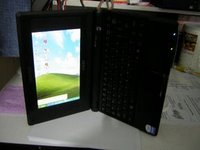
I also found free software for this Asus netbook called EeeRotate (eee is the product line for ASUS’s netbooks). It makes it more easy to read E-books on the Asus netbook by rotating your screen so you can hold it in your hand like an open book. It also rotates the touch pad also, so it will scroll correctly while rotated.
I am pretty excited to get my hands on this.
I sure wish I could find the 900ha in white though. Asus says they make it in black, white and grey, but so far everywhere I look I can only find it in black.
.
As always, I love to hear what you think, so if you have any ideas or comments… leave a comment below this post!
– John Derrick
*******************************************************************************************
Update
Since the writing of this article Apple has released their Ipad. (Best Prices On Ipad’s Here)
Granted, the Ipad is a sexy machine, but it still has some drawbacks that keep it from being perfect.
What I like About The Ipad: I love the touch screen. Apple makes the best touchscreens period. I like the design, and the software that runs it. I can use Apples ebook store and install the Kindle software all on one device. and Yes, I can view most PDF files too! (Hooray)
But the list of what I do NOT like, is much longer.
#1 – No expandability. A simple SD card slot would allow for unlimited storage, but Apple locks you out of this so they can charge you hundreds more for a “higher model” with 16GB more storage.
#2 PRICE. A 64GB Ipad is going to set you back over $800. Every expert will agree that this is ridiculously over priced, but hey if people are willing to pay that much why lower the price?
#3 No user serviceable or removable battery. This means you can’t swap it out and have a few spares like a netbook can.
#4 No upgrade path. You can’t add a hard drive or add more ram. You are stuck with exactly what you bought. The only upgrade route is to buy a newer (even more expensive) model.
#5 Itunes. I’m sorry but Itunes is bloatware, which means it will slow your computer down just be installing it. You have to have Itunes installed on your PC or MAC just to get things on and off from your Ipad.
#6 No Flash. It’s such a shame that if you want to browse the web with your $800 3G device you can’t see most of the webpages correctly because the only browser for the device does not support FLASH support.
#7 I just don’t like the way that Apple locks everything down and makes all software for the device be sold through their store. They recently turned away Sony’s e-book reading software because they want all the books to be sold through their store. I like choices and an open and free market.
#8 No E-ink. This is the same problem that netbooks have, if you consider this a problem. In the traditional sense the Ipad is not a true ebook reader because the screen does not use E-ink or a similar technology. This means glare in the sun and possible eye strain. If you read a lot of books this may or may not be a problem for you. It is NOT a problem for me, any more than reading on my LCD monitors in my home office.
So there you have it. The Kindle is a true E-reader with E-ink, but it doesn’t have much else it can do. It is a truly dedicated device. Sony has a slew of new E-readers just released and they are very impressive. (See Here) The Ipad is sexy and fun to use, but expensive and is locked tight by Apple. The Netbook that I bought years ago is still working very good for my PDF reading, and video watching, and occasional net surfing. For everything work related I use my Laptop when away and desktop computer with dual monitors when I am at home.
I love reading all your comments, so please continue to let me know what you think by leaving your comment below.
– John Derrick
*******************************************************************************************
SUPER UPDATE: 4 – 21 – 2011
The Newest Kindle is in pre-release on Amazon, and it looks amazing.
If you think the Ipad 2 is thin, you haven’t seen anything! The new Kindle is thinner than an Ipad, Ipad 2… heck it is even thinner than an Iphone. No kidding.
It looks like Amazon finally listened to what people wanted and they improved in the Kindle in the following ways:
#1 – Lower Price. The price is a LOT LOWER now.
#2 – 50% better contrast with the latest E-Ink Pearl technology.
#3 – The never really had glare, but the new screens are completely reflective and can be read in ANY lighting, included bright direct sunlight (Do that with an Ipad 2 and you’ll go blind!)
#4 – New & Improved Fonts are crisper and darker. They look to be more smooth too.
#5 – SMALLER! Yes, the new design is 21% smaller without shrinking the screen (where you read the books)
#6 LIGHTER – Now it is only 8.5 Ounces in weight! An Ipad 2 is a whopping 1.3 pounds (more than twice the weight)
#7 Double the Storage? I am not able to verify how much storage this new model has, but it now holds up to 3,500 books. That’s a lot!
#8 BETTER BATTERY! – A single charge lasts for a full month, unless of course you use the wireless often.
#9 20% Faster Page Turns – Ummm…. I didn’t know it even needed this, but okay. That’s good I suppose.
#10 PDF READER! Yeah baby! An enhanced PDF Reader, with dictionary lookups, ability to make notes, and highlight text.
#11 – Web Browser? – I didn’t expect that, but I applaud Amazon for putting it in. Why not, you have WI-FI, so why not browse the web. Of course keep in the mind that the fabulous E-ink may be better than sliced bread for reading books, it still means you have to surf the web in black and white.
Check out the new Kindle for yourself – Click Here
They even have a new version with “special offers” which is $25 less than the already super-low price. (See It Here)
Conclusion: I still have my Netbook and still love it for everything it can do, but I think the Kindle is finally to a point where I am going to purchase one to be my exclusive e-book reader. I can take it anywhere and read it indoors or outdoors, it is small enough to fit in my jacket and the price is so low that it is pretty much a no-brainer for me.
Like my netbook, The Ipad 2 and the Xoom are both great devices and have a much wider range of usefulness, but if you are looking for a dedicated device solely to read ebooks, then you need to take a serious look at the new Kindle.
OMG I want one sooooooooo bad!
Pingback: Posts about Ebooks as of December 30, 2008 | The Lessnau Lounge
Have you tried eBay?
Thanks a lot John.. check this site too:
http://www.foxitsoftware.com
Thank you so much John. I was doing the exact same research last December and gave up hope of finding something to meet my needs. I have now bookmared the Amazon page for this product – as this is exactly what I was looking for but didn’t find! Thanks again.
Leslie… I did try ebay and I can certainly find different colors when I select a different model, but I really have my heart set on the 900ha, and I can’t find that one in white anywhere.
the Eslick reader on the foxit site is out of the question because: 1) it will not be available until March 2) for $3000 (which is the prepay today and wait 3 months price) I can get an entire mini computer and 3) It will not be 100% compatible with every ebook format like the 900ha is.
Anita – You are welcome. After doing all the research for myself I decided to share my results with the world in hopes that it would save others from having the same frustrations I did, or worse yet buying a product only to find out it didn’t read the ebooks you already owned. Glad I could help.
Hi John,
I read your post, at the end you gave advice to buy kindle new. Is it able to give you easiness in reading your PDF ? I have tons of pdf files, from my own notes of my lecture to simply my old books that is too old to carry on with me.
I have tried some ereaders and found that I am disappointed that the pdf looked very small and cannot be adjusted in its view, so practically its ability to zoom freeze once I start to read my pdf files.
I know netbook can do the job but I need something lighter with ability to zoom the pdf files, tons of my online saved important journals needed for my research that I downloaded for free.
At the end I need something less than 200 bugs that can just do pretty much descent jobs in reading my pile of books in pdf (including journals etc.).
What specifically ebook that I should have? I don’t need fancy things like 3G or wifi but just somehthing that can read pdf files with ability to zoom in and zoom out and e-ink if possible.
Best,
Gimel Israel
Hey John,
Thanks so much for your great thoughts on this issue! I’ve been looking for a great ebook reader, and like you, I will almost exclusively be reading 8.5×11″ PDFs. Unfortunately, none of the readers on the market handle PDFs well, which seems like a huge oversight.
I’m skeptical about netbooks working for me, because I need an ebook reader I can take to the gym. But if I can find one that rotates and can be flattened out (and it seems you may have found one), that might work!
Pingback: The Best PDF Ebook Reader | John Derrick
Hi John I use my Dell Axim x50v Pocket PC to read any kind of ebooks just fine. I can read word docs or pdf files the only thing is everything gets converted reflow for pocket so get pocket word version or pocket pdf version other than that is is great.
You do have me wondering about a tablet PC though kind of like a big pocket PC I guess, which would mean all things that can be ran on computer can be ran on that. Ebook readers, media players ect…
Nokia N810 Portable Internet Tablet I am checking this one out it looks promising for everything.
The Sony Digital Reader 700 series can read PDF files.If that is what you are looking for mainy in a reader then I would suggest looking at it. I have several books in PDF format on mine and the battery life is amazing. Plus it doeshave some color.
Congratulations. Though it doesn’t look so perfect to me. :p I’ve been looking for one for reading academic papers for a while and I would like a device that is more similar to the Amazon Kindle. So I guess I’ll just have wait until they support PDF files (Kindle DX is an option though still not so perfect).
i agree that a netbook is far better option for ebook reading, when considering all factors including price and universality of functions. Also, starting in fall 2009, be ready to see more ecconomical version of these netbooks on the market that sport a…..are you ready?……. electronic ink screen that dEStrOys kindle all together!! It has three modes: ebook mode, 2 color, and full HD mode for all your graphical needs. They claim it will cut production and power consumption costs on all appliances that use these screens thus driving the price of these laptops and netbooks down dramatically to consumers. Read more about this awesome stuff here:
http://www.pixelqi.com/home
hi i have a dell mini 9 a small netbook and i have been using it as an ebbok reader for a while. However it gets hard to read after a while and it sucks turning the netbook on its side pretending its a book. even though its small its still uncomfortable. So im looking for a real ebook reader that will do pdfs one day. I want a ebook reader not a mini laptop.
I own a netbook and a Sony reader. Netbooks are great products, but personally I can’t read a novel on a netbook without getting a headache because of the backlit screen. Anything with a backlit screen is impractical for me. Also, I love being able to take my ereader to the gym and increasing the font while I work out. I don’t think a netbook would rest on the equipment as well.
Pingback: links for 2009-11-06 « Where Is All This Leading To?
Greetings from Sao Paulo, Brazil. This seems to be an excellent option ! How’s the EeeRotate software working ? Thanks a lot for the article !
Howdy, I’ve just begun my search for an ebook reader and was wondering if you looked beyond the Asus. If you have did you run across the “JC Planetary 6-inch E-Book 100 E-Book Reader”. It’s pretty pricey at $279 but it has a number of expected features including the ability to handle PDF. Just thought I’d ask someone else’s opinion. Thanks and best wishes for the holidays
It is possible to use the PSP as a very versatile and fast ebook reader, it just takes some technical know-how. Just dl a PDF of the ebook you want, use Adobe Acrobat (it’s very unlikely you don’t already have this on your computer) to save it as a text file, then use a program called PSP Photo 2.00 to convert them into text files that are the perfect size for the PSP’s screen. The only downside is that there are occasionally some formatting errors, but nothing that makes it any more difficult to read, simply some stuff that makes things aesthetically not as nice.
I just order an Asus netbook that gets up to 10 hours of battery life. I got the netbook just for reading. I understand Amazon has kindle for the PC which should run on the netbook Windows 7.
I am also looking at using Adobe Digital Edition for all the PDFs I have.
I think the netbook is the way to go until the Ebook readers get serious with color screens, and web browsing. There is a couple of tablets coming out in the next couple of months, but the lastest price I found was over $500. I figure my netbook will last me until those prices come down.
An LCD screen is a far cry from Electronic Ink. The screen on a kindle or one of the other various Ebook readers doesn’t continually refresh itself (which is basically pixels blinking on and off in order to update the screen). Even though you don’t consciously notice every pixel of your monitor being updated 60-80 times per second, that’s what’s happening. Your eye on the other hand does notice it and involuntarily keeps trying to adjust. This is what’s responsible for headaches and computer eye strain… There’s simply no way to avoid it with a conventional monitor.
Electronic Ink on the other hand doesn’t blink, it’s not continually refreshed and your eye can focus on it without going into microspasms just as easily as it can focus on regular ink. Netbooks are great and useful tools, but if you read a lot of books in Electronic form.. You NEED some sort of E-INK reader. Otherwise you WILL end up with headaches/eyestrain and possibly eye damage.
I bought a Libre ebook reader pro for $159 from buy.com, no shipping fee. You can also get it from your local Frys. There are tons of ebook readers on Frys.com. The Libre can read PDF files with some limitations (some intermingled graphics will be translated into words, but gif/jpg graphics can be displayed property). It’s much better than reading ebook on netbook. I have a netbook and I read ebooks on it for a while before I realized that there are many inconveniences reading ebooks on a netbook. The thing that bothers me the most is that after I power off the netbook, I lost all context of the books I read; I have to start from scratch about the books I have read. In Libre, it keeps track of your reading progress and you can always come back to where you leave off. The Libre is also much lighter and easier to handle, especially if you want to read in bed. The battery lasts much longer on the Libre than any netbook on the markets.
I wish I had bought Ectaco Chinese eBook reader M218B which has WiFi and can read aloud the book for you and it can display Chinese besides English, http://electronics.pricegrabber.com/dictionaries-readers/Ectaco-Chinese-eBook-reader-M218B/m76935946.html.
I agree completely with Matt. You forgot to cover the eyestrain and the glare that comes from using a netbook. If the netbook was a good option, I might as well be using a 15 inch monitor computer.
The reason people use ebook readers (I have a Sony myself) is for that e-ink technology. I also have a netbook, and trying to use it brings tears into my eyes. I was hoping for a review of the sony vs. the kindle vs. the new nook, but I suppose this article is a bit older.
The Sony PRS-505 can handle PDFs now, but with limitations, too. It’s good for PDFs with text, but not so much for books with color and photos. Thanks for the thoughts, though! Maybe I should try to give the netbook another shot.
Wow, this was written over a year ago… in 2008.
I am not sure why all of a sudden it is getting so much attention. I have half a dozen email in addition to all these comments.
I do agree that e-ink is much better for reading a book, I don’t happen to agree with the refresh rates causing eye damage. I think perhaps you are confusing old tube type (CRT) with todays modern LCD display.
Yes, I did find out that in direct sunlight the screen does become hard to read, but I am not a “reading an ebook in the park” kind of guy. I spend most of my time indoors or in a moving vehicle of one kind or another.
If reading text on a normal LCD monitor were going to cause eye damage, I think the world would be full of people with eye damage because millions of people spend all day working in front of their monitors. Yes, reading text on them too.
Prices on ebook readers have come down since I wrote this in 2008, but the prices still seem rather high for a display that looks like a 19080’s gameboy and they only do one thing….
I suppose with the ultra advance black and white ink you wouldn’t want to play games or browse the web, but maybe they could at least let you read your email.
There is a reason why netbooks are the fasting growing computer market right now. They certainly are outselling ebooks. Probably because when people spend $300 they want to be able to do more than just read text.
If you read a lot of ebooks and you like to read outside in the sun, and you only want your device to read books, then you should buy a dedicated ebook reader such as Sony’s or Amazon’s Kindle.
Happy New Year everyone… It’s 2010 now! woo hoo
I am so glad I read this article. We have 2 netbooks at home, but I never thought of them as ebook readers.
Yes, I also have access to lots and lots of PDF ebooks. And none of the ebook readers out there could read a PDF file like a Netbook.
My search for the best PDF ebook reader is over, for now!
Happy New Year!
Thanks for the article.
What the hell is an ebook reader and why would anyone want one? Can’t you just read ebooks (whatever they are) on your laptop?
Hi,
I have a netbook. The very one you are talking about. But I still swear by my PSP when it comes to taking some books along to read.
The thing is, it boots up INSTANTLY, and automatically opens my book to the very page I had left it on (provided I didn’t power it all the way off – but if you know how the power button on the PSP works you’ll know that I only need to power all the way off to change the battery). No pointer/keyboard needed, I just press the rudder button to change pages. The ebook is small and handy but not as small as my PSP. I can curl up on my side in bed and read my PSP comfortably, It will fit in my inside coat pocket. It really is a fantastic ebook reader. And it can read any format I care to download. The real kicker though is that I can get about 12 hours out of a battery for my PSP (when reading, games use juice but I don’t even use it for games anymore) and the batteries are small and inexpensive, so I have 4 batteries. That means I can read for 48 hours on my PSP without charging anything, whereas I can read for about 6 hours on my netbook, which is terribly inadequate when you are on the road as much as I am.
The key is that you need to invest a bit of time in getting your PSP set up with custom firmware and then installing Bookr which is a free PDF reader for the PSP. It won’t work on newer PSPs with the newer firmware. You have to downgrade your firmware (unless you want to spend a lot of time and risk ruining your PSP, better to just pay some punk who knows what he’s doing to downgrade it for you).
Once you have bookr you can read .txt, .html, and .pdf. PDF is by far the most readable format though so I convert all my books to PDF format. The worst is when they are already in PDF format though because they probably aren’t setup for the PSP screen size and you must either have TINY text or LOTS of scrolling (not happening). I say PDF is the worst because getting things out of PDF format so that they can be properly reformatted to fit nicely on the PSP screen is troublesome. I use Amber Lit’s PDF conversion tools and that works fairly well to convert PDF to HTML.
Amber Lit also has a very nice .lit converter. So what I generally do is take my PDF or LIT file and convert to HTML. Then I import that into Open Office where I have set up a perfect template along with some nice macros to help fix line spacing, font sizes, extra page breaks and what not. So I run the macros, skim the file to make sure they didn’t miss any bad formatting issues, then export as PDF. Now I have a PDF with the exact dimensions of the PSP screen (set up to read in portrait orientation), with text that is in a comfortable font at a comfortable size. Each page fits perfectly on the screen and in Bookr a tap of the rudder changes pages (no scrolling needed).
It sounds like a a hassle but once you get a solid template and some nice macros set up, and you get the Amber Lit conversion tools, it is a pretty quick process. I only spend an hour two every couple weeks to convert a dozen or so books to my custom PSP PDF format.
@Paul, I would like to see you whip your laptop out to read a chapter or two of a new novel on a crowded Hong Kong bus…
Article started off great, but that’s not an eBook reader, that’s a laptop. The search continues………
“STILL” looking for an ebook reader that can read/zoom/adjust fonts on a PDF! (I am a “reading in the park” kinda guy!) 😉
And what do you think about new BeBook Neo? Is it gonna be any better…? you can see it and read about it here:
http://mybebook.com/6-inch-ereaders/c14/p25/bebook-neo-ereader/product_info.html
They say there it “Supports the most popular eBook formats such as: EPUB*, PDF*, TXT, HTML, RTF, MOBI, CHM, PDB, JPG, PNG, GIF, BMP, TIFF (*including Adobe DRM, compatible with Adobe Digital Editions)”
I think the eSlick is out now for $259! It seems great from the videos demos! The draw back I see is its screen size which is 6″
Hi John,
It is of comfort to see that there are many of us in this boat. I was waiting for the release of the Que Pro Reader (http://que.com), it is a bit costly for the size of storage. The unit is the size of a legal pad and it is able to flex w/shatter proof display. My wife has a netbook from HP and if it were just the “top”/display then it would be of a format that is more desirable for reading like a book. I’ll keep checking back to see what you find. Check out the Que and let me know your thoughts on it. The Ipad size is good but then we are back to eye strain again. I have a technical library that I wish to have at my finger tips on the go.
Regards,
JCB
I think you forgot about something very, very important about the ebook. The ebook won’t hurt your eyes like LCD of the laptops or netbook does!! Thats (at least for me) THE most important feature of an ebook, the ability to use it to read anytime, anywhere as if it was a book without hurting my eyes. I work with computers all the time and reading technical ebooks on the laptop get’s my eyes fatigue and all red after many hours looking at the screen.
Cesar, you said you work with computers and read technical ebooks all the time, tell me one ebook reader which can read your PDF files, I tried the Sony PRS 900 and PRS 600 they were pathetic in reading PDF, it was so uncomfortable.
Kindle is good for people who wants to buy books all the time from Amazon, what about those people who have lot of technical PDF ebooks. I did checked the IPAD, it was amazing in reading PDF files, only issue is to transfer pdfs into it and also it will effect your eye if you read on it for a long time.
Have you looked at the Jetbook, or Aluratek Libre? Both do PDF and a lot more for a reasonable price.
Well John, from the replies above you would have now realized that net books are not the answer to reading books in the PDF format. The simple truth is that none of the ebook readers out there can handle pdf files as we would like it,and the companies making them are in no hurry to produce such a device, as most of the revenue of these companies come from the sale of their ebooks.
An opportunity exists therefore,for an enterprising individual to produce such a device and rake in the dough !
I am testing a Kindle DX, which I borrowed from the Institute library for several days. It does read PDF, although with some limitations: one cannot zoom in and out, highlight text or make notes like in e-books.
As I understand, the reader is a computer, but with a low-power-consuming monitor. According Wikipedia, Kindle DX runs under Linux-2.6.22.19. I guess, the full PDF support can be implemented. It’s just a question of time.
The Foxit eReaders have native PDF support and are reasonably priced at $199
http://www.foxitsoftware.com/ebook/gallery.html
RE: Foxit PDF Reader – Reflow is a feature that automatically reorganizes text to fit the screen size when you are viewing a PDF file. It makes reading on mobile devices much easier, and you do not have to scroll from left to right to read.
Best pure PDF reader out there. Only Cons are no WiFi or 3G so you’ll need to plug the USB in to a PC to transfer content.
Oh one more Con – only 4 shades of greyscale, so no good for illustrations or pictures, this is a PURE text reading device (Kindle has 16)
My netbook is still going strong here, however I am upgrading to the Exopc Slate. It is just like a netbook with windows 7 on a ipad like device with touch screen.
The battery life is just over 5 hours, I expect it to make a great ebook reader since you can now download Kindle and nook software for windows 7. Also runs office.
As for ebooks, they have really taken off.
My Acer Netbook has been the best for me. Reading on my netbook allows me to have access to all books, not just those from a particular site. I just download the specific ereader application from the site selling the book I want! I can read books in the Kindle format, Microsoft Reader format, Mobipocket format, Adobe Reader (pdf files) and Adobe Digital Reader (to check out DRM’d library books), Barnes & Noble format, Borders format, the list goes on and on. My favorite ereader software comes from ereader.com. Their ereader app for PC is much more flexible than most of the others, with a huge choice of fonts, themes, background color and text color, single or double page viewing, and it remembers the page I was on. My eyes never hurt after reading, since I can adjust the brightness and colors if I need a change. No headaches. Yes, it’s a little heavier, but it sits on my lap or a table very easily. I tried turning it 90 degrees, for the “real reading experience”, but found that it’s easier for me to just sit it on my tummy while laying in bed! I only find time for reading at bedtime, so even though my battery lasts about 7 hours if I turn off the web connection, I just plug it in if it gets low. And it is a very real reading experience for me…most times I still find myself reaching to turn the page of a very engrossing book, and then remember that I don’t have a page to turn! I haven’t made a choice between real books and ebooks, I read both, and enjoy them both. For me, there is always room for more books! My wish is for one really good reader program that will read all formats, protected or not. Of course, I want it to look like ereader. It could “talk” to the other software on my computer so it knows that I have the rights to read each book, and then let me read them all in one place. Hope the ebook wizards are reading this….
With a little technical know-how, nothing can beat the PSP for versatility and number of applications. Using custom firmware and a little homebrew (bookr), you could use the PSP as an ebook reader. It can read pdf, txt, html and a couple of other formats, complete with features you find in a typical ebook reader. Add in the ability to play music, videos, display pictures, browse the internet, take pictures (with a camera add-on), what else do you need? Oh, and it can also run games….
I’ve used my 900ha like a book before, it’s kind of awkward and I feel that people will look at me funny, but it served its purpose at the time. Ipad is probably the best thing now if you want to read pdf’s, but it’s also 2-5x more expensive than an ebook reader (depending on specs).
Hmm.. my search for a cheap ebook reader (<150$ and more than a 6" screen) looks far from over. Net-books are ok, but I need something even lighter.
If anyone can see what a simple ipod touch 1G 8GB can do with the most complex pdf pages (using good readers like AJI reader), it is inconceivable that we do not have better pdf book-readers yet (big screen, one function devices)
I think the iPad is the best PDF reader on the market. If you use it in conjunction with Dropbox, you can just drag and drop onto your iPad. Then, from Dropbox, I open up into iBooks, and it’s just great. As a grad student, I have a lot of articles to read, and it’s hard to keep track of them all in paper form. Now, during meetings, people start talking about a graph or some research, and I already have it cued up to show before they have finished their thought. When I visit friends and family on the weekend, I just bring my iPad, because all my reading is done on there.
If anyone is concerned with eye strain, I found that by having appropriate screen brightness, this is no problem. I realized after my first few days that I had been setting it to be too bright in dim lighting, and too dark in bright lighting. A good heuristic is “dim in the dark” and “bright in the light.” For example, in a bright office setting, you should make it so bright that you can no longer see your own reflection. This reduces eye strain.
For just straight up books, a kindle might be better, but the iPad is fantastic for PDF’s, and way better than a netbook. It feels like I am just holding my documents, rather than reading on a computer. I get quick bits of reading done with my iPad that I would never get in with a netbook. I take it out for a minute or two while waiting to get in a quick page–on the bus, at dinner, while waiting in line. The iPad may not be for everyone, but for heavy PDF readers, it is a must.
Well, size is one factor, but another is screen itself – I just wanted a good PDF ebook reader with EInk screen. I have done similar research and found nothing…
John great article, I’m wondering about what you would recommend today for those of us who have mostly books PDF format and would like to read them?
A netbook is NOT a reader. It is a small laptop computer. It doesn’t have a battery that lasts weeks and it certainly doesn’t have an e-ink screen.
Agree to disagree.
It is my reader, and I read on it all the time. 🙂
All I want is an ebook reader that renders PDFs appropriately, includes a stylus for annotation and note-taking, can be used outside just as well as inside, and is pretty much the equivalent of a digital book. It needs nothing else. Optional Internet on a particular model might be good down the line but is not a necessity.
The downloading services provided by the manufacturers, which seem to be a big deal to many, I would not even use. I have hundreds of my own PDFs and that is all I want it for.
I am considering purchasing the Sony Reader Touch Edition, but I don’t know if it renders the PDFs as well as I would like.
Yes, I think the Sony readers may be your best bet at the moment.
Please check back with me and let us all know what you decided on and how it went for you.
Great info, I am currently looking for an affordable e book reader that reads PDFs and this really helps! So thanks 🙂
Bloody hell, so much reading for this!
I cannot believe you consider this minilaptop as an ebook. What about the paper-like screen? To me this is the most important thing.
Having said this, yes, I agree the pdf problem needs to be solved. Also the graphics in pdf are a big problem, apparently (for technical documents). My perfect ebook would be paper like screen, perfect pdf reader, usb, at least 12 inches screen. no need of colour.
See the update to this post. There are some new great options (like Sony’s new readers) which are linked in this post now.
The best idea of all is to get a tablet notebook pc. you can find some cheap old models from ebay cost less than $200, which will do all netbook can do, but has a tablet screen that can rotate and read vertically as ebook readers. Moreover, you can use stylus pen write notes on its screen like real paper.
Anyway, I got my IBM X41t and I love it…
That is another idea. Thanks for sharing.
I hate to spend that much on old technology though, that may or may not be reliable. Once I load up my device with the hundreds of ebooks I have, I certainly do not want used hardware dying on me. Besides, netbooks have come waaaay down in price now. Why buy used when you can buy new with a warranty?
I am browsing through my bookmarks and found the link to this page that I recorded more than 1 year ago. I have an Ipad since May 28th, 2010. Problem solved now.
Pingback: The Best Color Ereader for Web Browsing We’ve Tried So Far…
You know, I think that you missed the point of an E-book reader. I understand that they are not handling PDF well right now. But the fact t is that along with terrible battery life and a glossy screen and cannot be read under the sunlight as well as backlit display a netbook is the same or worse than an ipad or other tablet. Spending money on a netbook that is just not worth it, a machine that is not upgradable is really is a waste of money, use your laptop there is a lot more real estate for PDF and other things that a netbook will never be able to handle. Unfortunately, yes there is nothing very useful out there yet for reading pdf’s. But I am sure someone soon will come with one. PDF’s are a big market.
Tanks for this article it made me choose better!
(SPAM REMOVED)
I have an Eee netbook, after finding this i downloaded the eeerotate
software and it is great. I have loads of ham radio magazines going back to the 1960’s and using eeerotate and the netbook i can now read them just great, Thanks
Sony came out with 3 New Line of Sony Readers that are an upgrades to all three of their ebook readers – PRS-650, PRS-350, and PRS-950. They are good for PDF ebook reader with E Ink screen. Each new Sony Reader comes with a clear touchscreen and the latest high-contrast Pearl displays from E Ink. Check them out.
Sony E- Readers – Check Them Out
Wow, so many comments on this post. I love hearing from you all.
Glad I could help out Bill G4KKI !
Annie, those are very nice looking readers. Thanks for the info.
You are very welcome Moneymakergal. Glad I could help.
Troy, I am still very happy with my Netbook. If you have the money and do not mind the short coming that I mentioned above, the Ipad might be a good choice for you, but be sure to check out those new Sony Readers. I am very excited about those.
I bought a BextBook2 color Tablet for $100. It has an elink, and I can also browse the internet. Using the Gutenberg site, all of those free books read well on it. It also reads .pdf files–but not quite as scaleable as I want. I am working on it using free software called Calibre. I highly recommend everyone download it. It is free, converts to all popular formats, and is a great reader if you stick with the netbooks. ..
Make that “NextBook2” ; )
Thanks for sharing about your experience with the NextBook2!
Anyone interested should really use this link:
Next Book 2 – Click Here
These look VERY promising indeed!
The price is great. Certainly a bargain next to an Ipad at this time.
I am desperate to find a e-reader that will do PDF and word. My intention is to create a library specific to my uni where all documents can be stored as well as books pertaining to my uni subjects plus anything that will compliment it (legislation – COP – managment plans ect) i will check out your advice and get back to you. Thanks for the article though. Its given me direction.
Has anyone tried the Pandigital Novel? It’s my understanding it was designed to read pdf files – there is no conversion required, and it does have an sd slot. I don’t have one but after months of research, it’s what I’m leaning towards. I’m tired of only having my laptop as an option for reading my books, ALL of which are in pdf format, and almost NONE of which I have read, due to the fact that I don’t want to lug around my heavy laptop with the two hour battery…..
Hi, maybe you all should take a look at pocketbook pro 903.Excellent for pdf, because of its screen size! The 902 has same size but lower specs (no touch screen e.g)
If you need a cheap tablet, they have one, but the screen is smaller!
Fully agree with you John–I’ve been using a mini Sony Vaio (VGN-T27) for years and now a small laptop similar to the Eee PC mainly for reading pdfs.
No need for eeRotate, just Ctrl-Shift + or Ctrl Shift – in Acrobat reader to rotate the pdf. Also Cltr-L full screen mode I use all the time too.
Another advantage of the netbooks as you show in the picture, they stand up by themselves. I read lots in bed, no arm fatigue holding books open and the cursors keys/mouse pad buttons are easy access to flip pages.
The only thing I don’t like about the Samsung (and your EeePC is the same) is the 1024×600 screen resolution compared to the 1280×768 of the Vaio I used to have. Some pdfs I can’t read unless zooming in and sometimes larger dialog boxes have to be moved around to see the buttons.
The Kindle 3 handles PDFs, does it not? I realise that was not available when you wrote your blog post… but it is now — for those who want a real ebook reader that handles PDF. “Real” meaning that it’s a dedicated ebook reader, with Ink screen (preferably).
As for the netbook: I have one (Asus eeePC). Installed OS X on it, which was a massive improvement over Windows (and linux, which I tried before OSX). But no way do I consider it an ebook reader. It’s just a small laptop, with a glossy and glare producing LCD screen.
This is a great set of posts. Thanks John and other contributors. I am looking for a pdf reader that can run a local search engine so i can look fpr topics in my literally hundreds of academic articles all in pdf format. Any suggestions would be appreciated. Keivan
The writer apparently has not discovered the benefits of e-ink display. That is the ONLY reason I got a reader. It is exactly like reading a book with as much eye-strain as reading an ink-on-paper book. Reading on backlit LCD does not even come close. How about using Calibre to convert PDFs to MOBI? K3 is an amazing device. It also has USB connectivity for uploading your own books directly into the device. The battery lasts forever on a single charge. (I discovered that adding a lot of books drains the battery for a few days at an astonishing rate. Apparently, Kindle indexes words of the new books even while it is turned off. That is a one-time thing.)
Hello Jay,
I just did an update to this article since a lot of things have changed since I originally wrote this. The New Kindle that I linked to in my update looks incredible.
Back when I wrote this article the original Kindle was lacking in many areas.
Great article – exactly what i was looking for and mirrors much of my experience. I am at the stage of looking at the iPad 2 as there is a plug in memory card reader available now. However I equally dislike itunes as programme (I’m at the stage of using an itune alternative program along with itunes on my iPhone).
I Will check out the link for the new Kindle – this could be the solution.
Cheers. ola, UK
Kindle all the way.
I can not believe how low the price has become on the Amazon Kindle.
I’ve spent more on a visit to my local bookstore.
It appears that the price on Amazon is lower for me once I click the link in this article.
– This one:
http://johnderrick.com/NewKindle
Thank you for the price break.
Do any users of the Kindle for reading pdfs find that the storage isn’t adequate? I have 50G (yes thats fifty gigabytes) of pdfs. No of course I can’t read them all at the same time, but it would be nice to store quite a few of them on the reader. I’m tempted by the Android tablets that allow SD cards but have still not taken the leap.
Matt
what about the Nook?
I’m having the same problem you faced, I’ve used the PSP for about 4 years to read books but still doesn’t support arabic, most of my PDF are scanned images combined in a PDF file, so I had save the PDF to images and to resize the images then combine it once again thus the PSP ebookr can open it
anyways I liked the new Nook first touch, and it enables me to ad microsd card up to 32Gb which lacks the kindle
do you know what about the nook when openeing a pdf based on images? I was close to order one but I’m not sure it’d be the perfect choice
and I have to say, your article is brilliant, one of the best I’ve read recently, and I liked that you are neutral to each brand not a fanboy of apple nor amazon
Ok, so the new Kindle 3 is awesome, but one question.. can you put your own e-books on it? I know previous ones wouldn’t allow it, and in your rundown of the new one, you didn’t mention one way or another whether this had been addressed
Hello Chris,
Yes, you can put your own ebooks on it.
I own a LOT of ebooks, including PDF’s, and if I couldn’t load my own books on to the new Kindle, then I wouldn’t want it.
Be careful to not get the new kindle with ads though, that one places ads on your device. They are not real clear about it either. They call it “Special Offers”.
Use this link:
http://www.amazon.com/gp/product/B004HFS6Z0/ref=as_li_ss_tl?ie=UTF8&tag=custperfcomp-20&linkCode=as2&camp=217145&creative=399373&creativeASIN=B004HFS6Z0
You’ll see the “Special Offers” is $114, and the no ads version is $139
Hope this helps,
– John Derrick
Just a small comment to say that the kindle is STILL not a good pdf reader, you can almost do nothing with it! the navigation control is almost useless and moving from one part of the page to the other just doesn’t cut it. for me the search for a real pdf reader is not over but I doubt I will find one since a free format is not lucrative for any company.. that’s why the kindle will never fully support pdfs..
HELP! I am looking for an ebook reader to take as a gift to my girlfriend in Brazil. Her son thinks the Kindle does not work there very well. Does anyone know what works best in Brazil?
This blog was… how do you say it? Relevant!! Finally I have found something which helped me.
Many thanks!
Having read this I thought it was extremely informative.
I appreciate you taking the time and energy to put this article together.
I once again find myself spending a lot of time both reading
and posting comments. But so what, it was still worth it!
I leave a comment whenever I especially enjoy a article on a site or
if I have something to valuable to contribute
to the conversation. It’s caused by the fire displayed in the article I read. And on this post My Search For The Best PDF Ebook Reader Is Over | John Derrick | John Derrick. I was moved enough to drop a leave a responsea response 😉 I actually do have 2 questions for you if it’s allright.
Could it be only me or do a few of the remarks look like written by brain dead people?
😛 And, if you are posting at additional social sites, I’d like to keep up with everything new you have to post. Could you list the complete urls of your social sites like your linkedin profile, Facebook page or twitter feed?
Pingback: Affiliate Marketing Schoolbook Laura BurkeAffiliate Marketing Made Easy
You ought to be a part of a contest for one of the
most useful websites on the internet. I’m going to recommend this website!
Magnificent beat ! I wish to apprentice while you amend your web site, how can
i subscribe for a blog website? The account helped me a
acceptable deal. I had been tiny bit acquainted of this your broadcast provided
bright clear idea
This website was… how do you say it? Relevant!!
Finally I have found something which helped me.
Thanks a lot!